Eric’s Stocks Pro: A Sidebar Tool for Tracking Stocks and Crypto
Eric’s Stocks Pro is the second tool I created with the help of OpenAI, and it is also my second AI-assisted project.
In my daily work and learning, I often need to check real-time prices for stocks and cryptocurrencies. In the past, I mainly used Google Finance and added it to the sidebar of the Vivaldi browser. Google Finance is useful for tracking market data, but the interface contains a lot of extra information beyond the prices I care about. For a small browser sidebar, the page can feel crowded and messy.
When I added multiple stocks and crypto assets, I often had to scroll up and down to see all the items on my watchlist. This was not convenient for a narrow sidebar layout. I also tried adding several other financial websites to the Vivaldi sidebar, but most of them were not designed for this kind of compact view, so the overall experience was not ideal.
That is why I decided to build my own custom stock and crypto tracking tool for the browser sidebar.
At the beginning, I used Google Gemini to help me write the code. Stock data was mainly provided by Finnhub, while cryptocurrency data was mainly provided by Binance. At first, I only wanted to add the stocks and crypto assets I personally follow. Later, I decided to make the project more useful for other people as well, so I gradually added more customization features.
During the development process, Gemini produced several issues across different versions, and it became difficult to solve all the problems. In the end, I switched back to OpenAI to help me complete the project, test it, and improve the details.
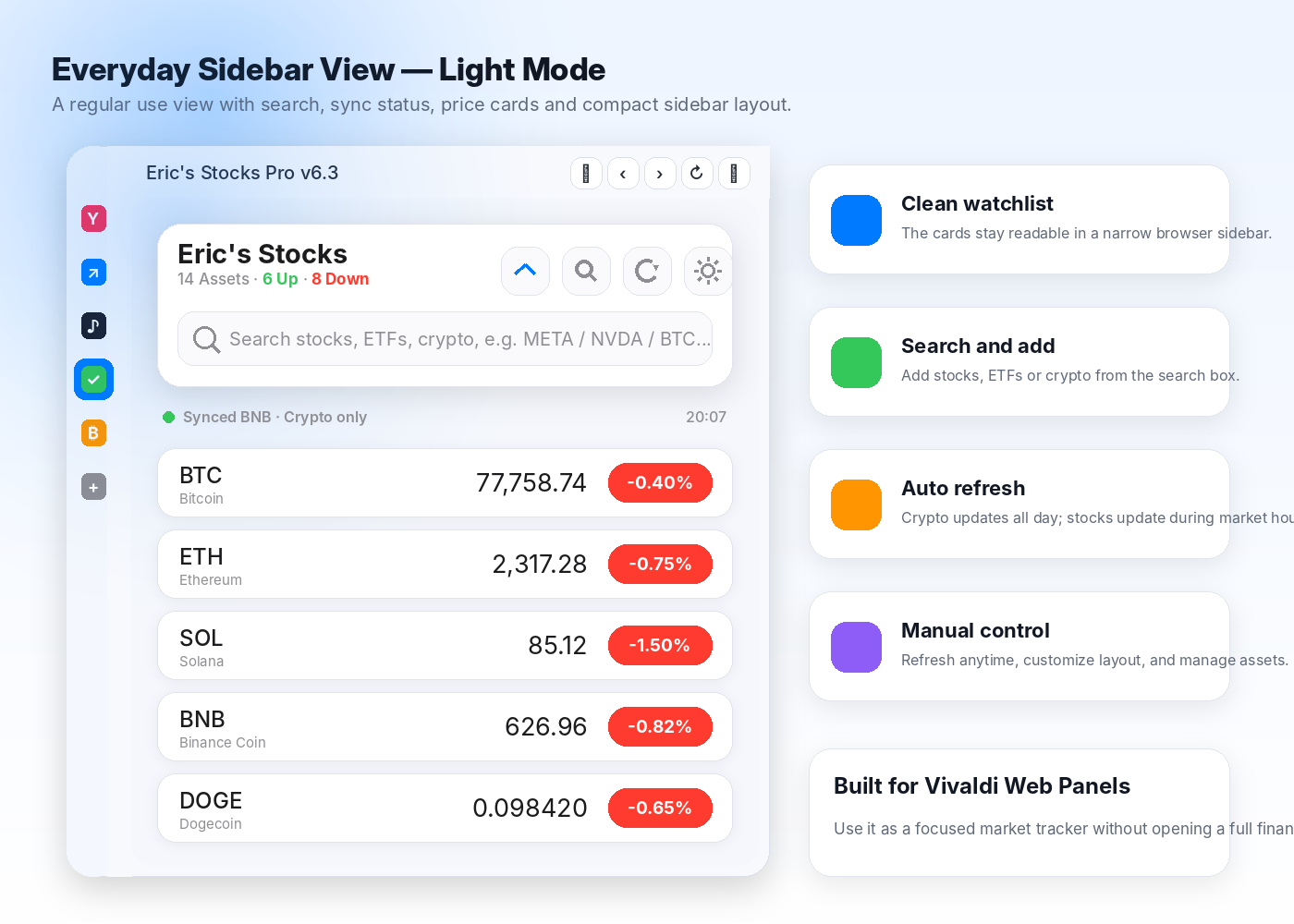
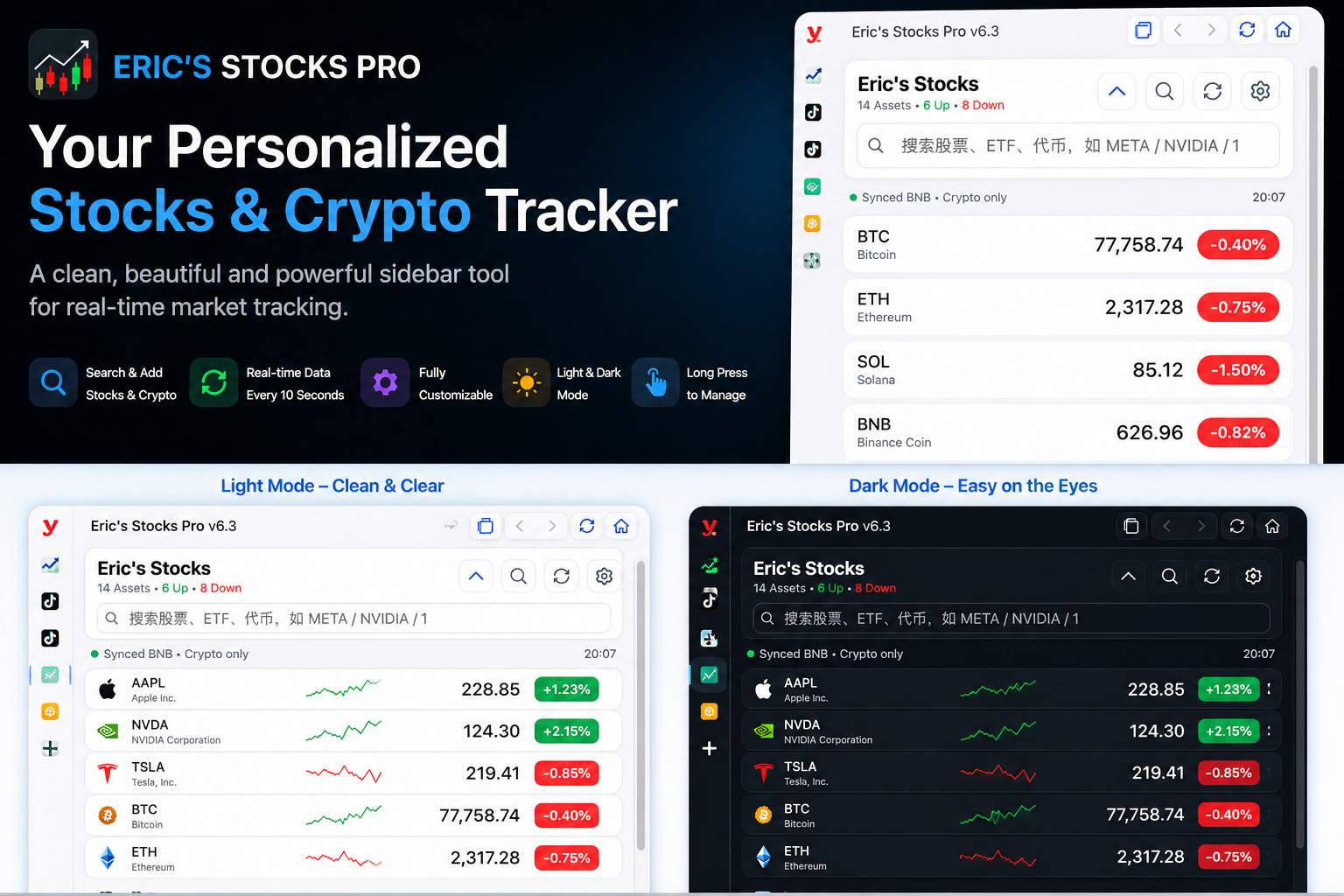
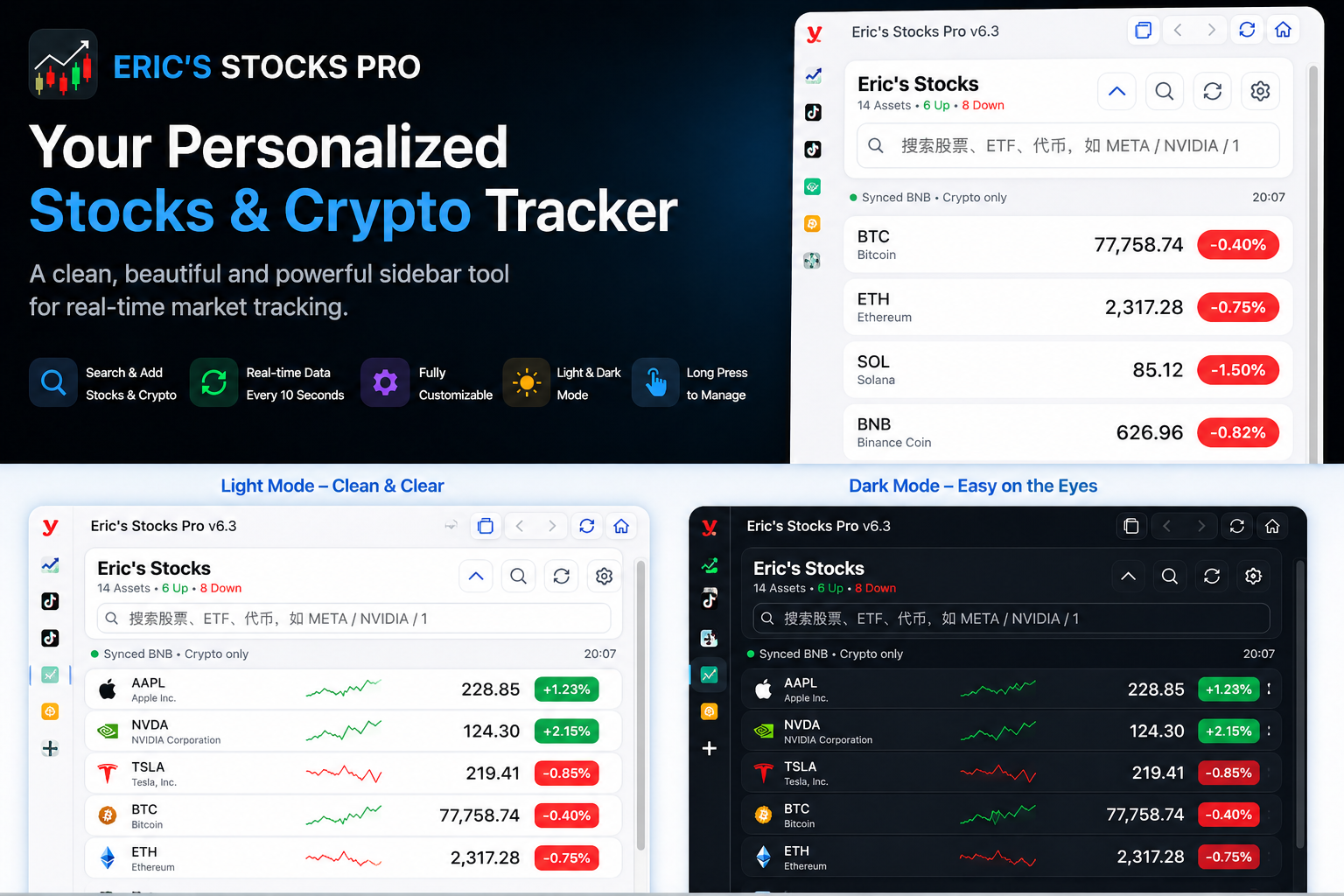
At the moment, this project has been running stably for one week. Its main features include:
- Custom search and adding support for stocks, ETFs, and cryptocurrencies.
- An Apple-inspired UI design that is clean, simple, and suitable for sidebar use.
- Custom project name support.
- Custom font weight settings for symbols and prices.
- Custom card height settings to fit different sidebar layouts.
- Light mode, dark mode, and automatic mode based on the system appearance.
- Automatic price updates during U.S. stock market hours on weekdays, while cryptocurrencies can update 24 hours a day. Manual refresh is also supported.
- Long-press asset cards to enter management mode, where you can delete items or drag to reorder them.
- A collapsible top section to save space and make the sidebar more compact.
This tool is not a professional trading platform, and it is not meant to replace advanced financial software. Instead, it solves a simple but real problem for me: I wanted a cleaner, lighter, and more beautiful way to quickly check the stocks and cryptocurrencies I care about directly from my browser sidebar.
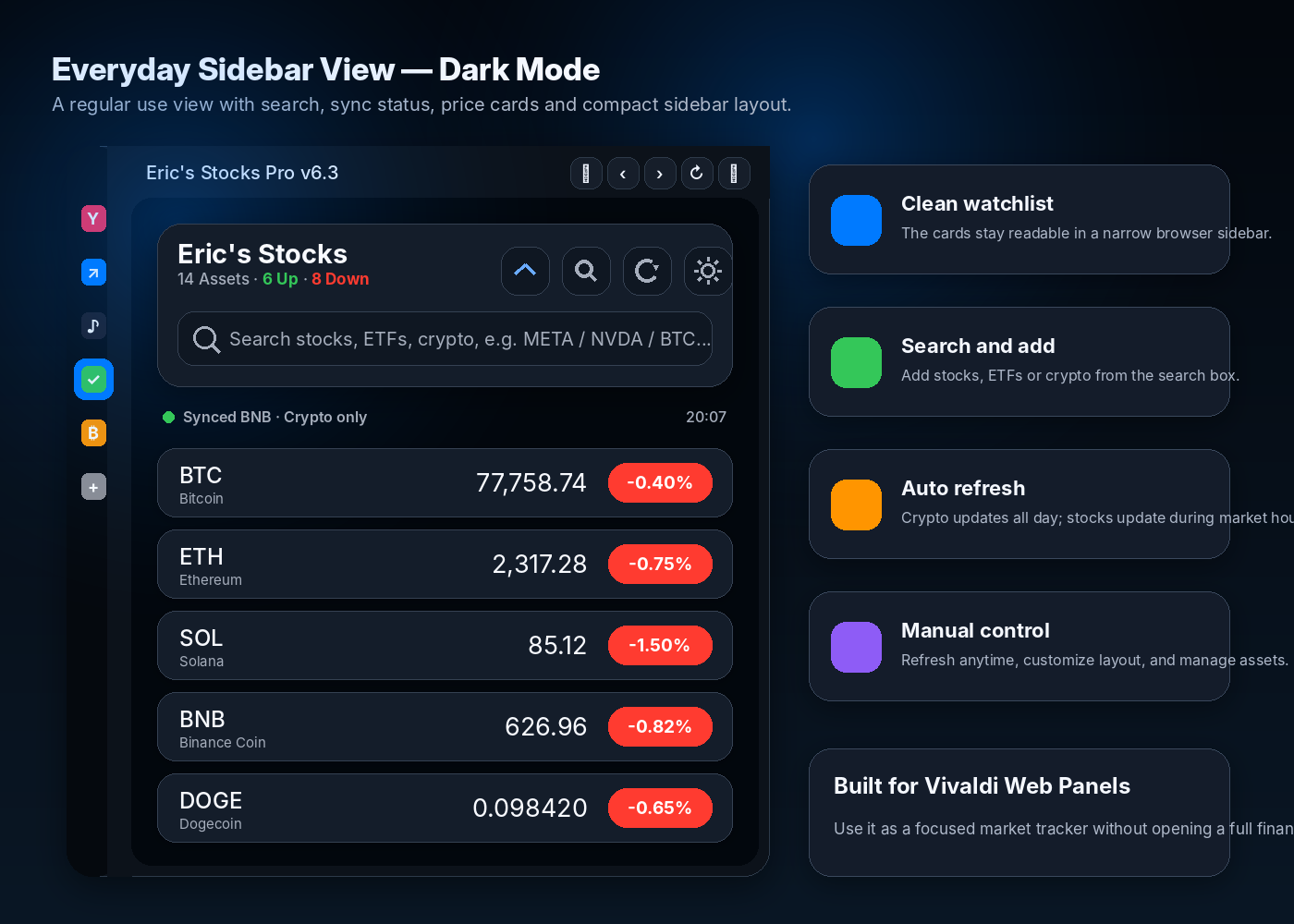
For me, the most meaningful part of AI is not just that it can answer questions. It can also help ordinary people turn their ideas into real, usable tools. Even without knowing how to code, we can describe what we want, test different versions, adjust the details, and finally create something of our own.
If you also use the Vivaldi browser sidebar and want a lightweight, clean, and customizable stock and crypto tracker, you are welcome to download and try Eric’s Stocks Pro.
Download: